Ensuring that Googlebot indexes every article published on your Blogger website requires mastering Blogger’s unique sitemap architecture. While self-hosted platforms use dynamic sitemap index hierarchies, Blogger relies on a dual protocol of standard XML and paginated Atom feeds. This technical guide outlines how to configure, batch, and submit complete sitemaps in Google Search Console.
Google Search Console Blogger Sitemap Architecture
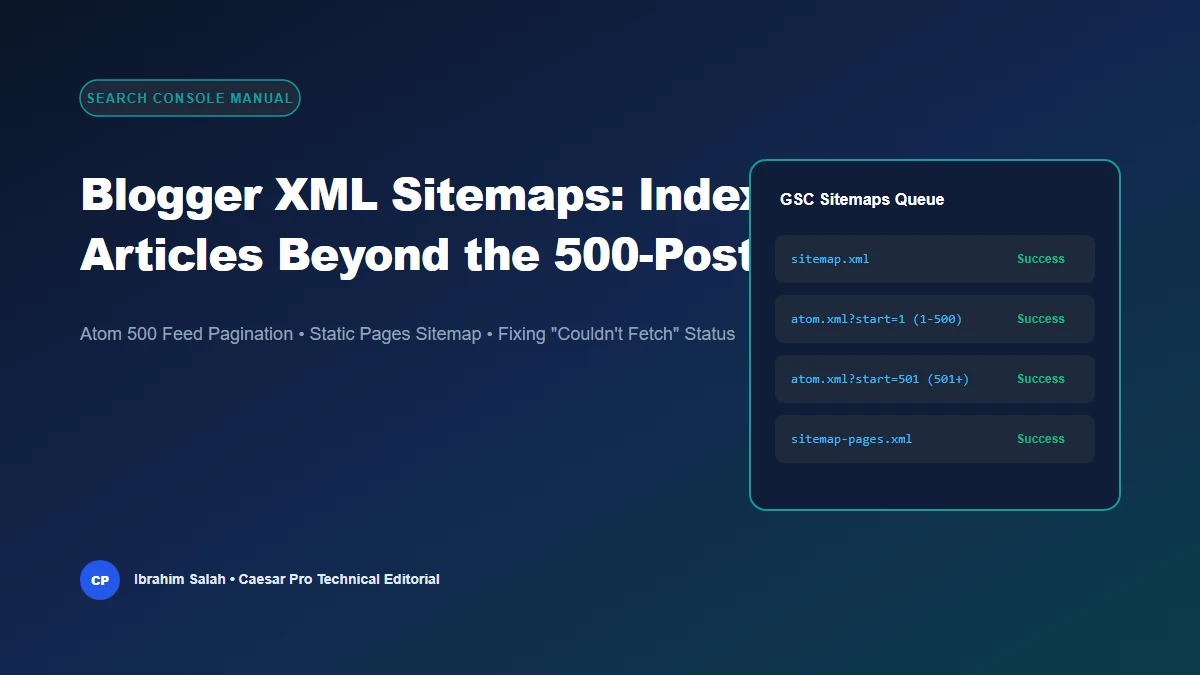
Multi-tier feed submission workflow overcoming the 500-post ceiling.
1. Standard XML vs. Atom Feeds: The Technical Difference
Google Blogger supports two distinct indexing feeds:
sitemap.xml: A native sitemap built into Blogger. While recognized by search engines, it prioritizes recent updates and often exhibits crawl latency for deep archives.atom.xml: Google’s preferred syndication protocol. When queried with the parameter?redirect=false, Blogger returns a pristine, machine-readable XML document detailing post titles, URLs, modification timestamps, and author tags.
2. Overcoming the Hard 500-Post Feed Limit
Every Blogger Atom feed hard-caps responses at a maximum of 500 entries per request. If your publication contains 750 articles and you only submit atom.xml, posts 501 through 750 will remain uncataloged in Search Console.
To overcome this limitation, calculate your batched sitemap URLs using the Caesar Pro Blogger Sitemap Checker:
- Batch 1 (Posts 1–500):
atom.xml?redirect=false&start-index=1&max-results=500 - Batch 2 (Posts 501–1000):
atom.xml?redirect=false&start-index=501&max-results=500 - Batch 3 (Posts 1001–1500):
atom.xml?redirect=false&start-index=1001&max-results=500
3. Don’t Forget Static Pages: sitemap-pages.xml
A common mistake among Blogger webmasters is submitting only article feeds. Static pages (such as About Us, Contact, Privacy Policy, and Terms of Service) are stored in a separate database partition in Blogger and are NOT included in standard post feeds.
To ensure your trust pages are indexed, always submit: sitemap-pages.xml.
4. Diagnosing Common Google Search Console Status Codes
“Couldn’t Fetch”
This message often alarms webmasters immediately after submission. In most cases, it simply indicates that the sitemap is queued in Google’s indexing backlog. Allow 24 to 48 hours for the queue to process before resubmitting.
“Sitemap is HTML”
This error occurs when you omit the redirect=false parameter on an Atom or RSS feed, causing Blogger’s server to redirect the crawler to an HTML preview. Always enforce redirect=false on feed submissions.