In modern search engine optimization, communicating with search engines requires more than keyword placement and well-structured headings. Search engine crawlers and large language models (LLMs) operate on semantic understanding—interpreting relationships between entities, concepts, authors, organizations, and digital assets. This is the domain of structured data and Schema.org vocabulary.
When properly implemented, structured data transforms standard search engine results page (SERP) listings into rich snippets—featuring star ratings, breadcrumb trails, expandable FAQs, author credits, published dates, and sitelinks search boxes. According to Google’s Search Central documentation, while structured data is not a direct algorithmic ranking factor, pages with rich results achieve significantly higher click-through rates (CTR), higher qualified engagement, and improved visibility across conversational AI engines.
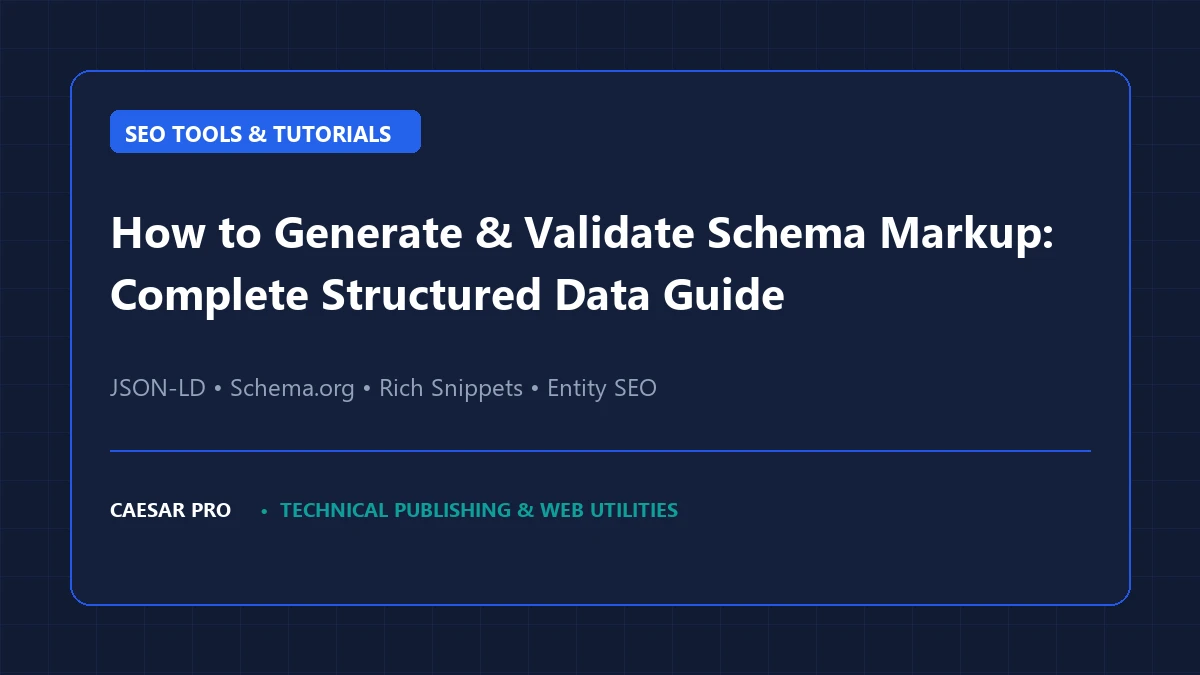
This technical guide explores the architectural foundation of Schema markup, provides production-grade JSON-LD templates, details validation pipelines, and demonstrates how to utilize the Caesar Pro Schema Markup Generator to streamline deployment without syntax errors.
1. The Foundation of Structured Data: Why JSON-LD Reigns Supreme
Schema.org is a collaborative, open community initiative launched in 2011 by Google, Microsoft (Bing), Yahoo, and Yandex to create, maintain, and promote schemas for structured data on the Internet. Historically, webmasters embedded schema attributes directly within HTML elements using Microdata or RDFa:
<!-- Legacy Microdata Example (Fragile and tightly coupled to DOM) -->
<div itemscope itemtype="https://schema.org/Article">
  <h1 itemprop="headline">Understanding Web Standards</h1>
  <p>By <span itemprop="author">Caesar Pro Editorial Team</span></p>
</div>
While Microdata works, it suffers from severe architectural fragility: whenever frontend designers refactor the template HTML or alter layout wrappers, microdata tags often break or omit mandatory attributes. Recognizing this friction, Google explicitly designated JSON-LD (JavaScript Object Notation for Linked Data) as the recommended standard.
JSON-LD decouples metadata from HTML presentation. It resides neatly inside a dedicated <script type="application/ld+json"> block within the document <head> or footer, making it immune to template styling shifts and vastly simpler to generate programmatically.
| Attribute | JSON-LD | Microdata | RDFa |
|---|---|---|---|
| Google Preference | Official Recommendation | Supported (Legacy) | Supported (Rarely Used) |
| DOM Separation | Complete (Decoupled) | Coupled to HTML elements | Coupled to HTML attributes |
| Maintenance Overhead | Low (Single central script) | High (Easily broken during redesigns) | High |
| Entity Graph Capability | Native (@graph arrays) | Difficult nested scoping | Complex syntax |
| Dynamic Injection | Asynchronous DOM insertion supported | Requires DOM node mutation | Requires DOM mutation |
2. Production-Grade Schema Architectures
To maximize search performance and secure rich snippets, modern technical blogs and tool portals must implement several interlocking schema types. Below are exact, production-ready JSON-LD schemas.
A. Organization & WebSite Schema with Sitelinks Search Box
The Organization and WebSite schemas establish your brand identity, corporate entity, social graph profiles, and internal search capabilities. This schema should be included across your entire domain or specifically on your root homepage.
{
  "@context": "https://schema.org",
  "@graph": [
    {
      "@type": "Organization",
      "@id": "https://www.caessarpro.com/#organization",
      "name": "Caesar Pro",
      "url": "https://www.caessarpro.com/",
      "logo": {
        "@type": "ImageObject",
        "@id": "https://www.caessarpro.com/#logo",
        "url": "https://www.caessarpro.com/wp-content/uploads/2026/11/caesar-pro-logo.png",
        "caption": "Caesar Pro Logo",
        "width": 220,
        "height": 54
      },
      "email": "support@caessarpro.com",
      "sameAs": [
        "https://twitter.com/CaesarPro",
        "https://github.com/CaesarPro"
      ]
    },
    {
      "@type": "WebSite",
      "@id": "https://www.caessarpro.com/#website",
      "url": "https://www.caessarpro.com/",
      "name": "Caesar Pro",
      "publisher": {
        "@id": "https://www.caessarpro.com/#organization"
      },
      "potentialAction": {
        "@type": "SearchAction",
        "target": {
          "@type": "EntryPoint",
          "urlTemplate": "https://www.caessarpro.com/?s={search_term_string}"
        },
        "query-input": "required name=search_term_string"
      }
    }
  ]
}
B. Article & TechArticle Schema for Technical Publishing
For editorial posts, technical guides, and tutorials, the TechArticle or Article schema signals author expertise, editorial freshness, and content licensing to Google. Essential properties include headline, datePublished, dateModified, author, and publisher.
{
  "@context": "https://schema.org",
  "@type": "TechArticle",
  "headline": "How to Generate and Validate Schema Markup: Complete Structured Data Guide",
  "description": "Comprehensive technical guide to generating, deploying, and validating JSON-LD structured data for modern search engine optimization and rich snippet eligibility.",
  "image": "https://www.caessarpro.com/wp-content/uploads/2026/11/schema-markup-guide.webp",
  "datePublished": "2026-11-20T10:00:00+00:00",
  "dateModified": "2026-11-20T12:00:00+00:00",
  "mainEntityOfPage": {
    "@type": "WebPage",
    "@id": "https://www.caessarpro.com/how-to-generate-and-validate-schema-markup/"
  },
  "author": {
    "@type": "Person",
    "name": "Caesar Pro Engineering Team",
    "url": "https://www.caessarpro.com/about-us/"
  },
  "publisher": {
    "@type": "Organization",
    "name": "Caesar Pro",
    "logo": {
      "@type": "ImageObject",
      "url": "https://www.caessarpro.com/wp-content/uploads/2026/11/caesar-pro-logo.png"
    }
  },
  "proficiencyLevel": "Intermediate",
  "dependencies": "HTML5, JSON-LD, Schema.org Vocabulary"
}
C. BreadcrumbList Schema for Navigation Hierarchies
Breadcrumbs tell search engines exactly where a page sits within the taxonomy of your website. Instead of showing an ugly raw URL in SERP snippets (e.g. https://www.caessarpro.com/cat7/p=142), Google displays an intuitive navigational pathway (e.g. Caesar Pro > Technical SEO > Schema Markup Guide).
{
  "@context": "https://schema.org",
  "@type": "BreadcrumbList",
  "itemListElement": [
    {
      "@type": "ListItem",
      "position": 1,
      "name": "Home",
      "item": "https://www.caessarpro.com/"
    },
    {
      "@type": "ListItem",
      "position": 2,
      "name": "Technical SEO",
      "item": "https://www.caessarpro.com/category/technical-seo/"
    },
    {
      "@type": "ListItem",
      "position": 3,
      "name": "Schema Markup Guide",
      "item": "https://www.caessarpro.com/how-to-generate-and-validate-schema-markup/"
    }
  ]
}
D. FAQPage Schema for Expandable SERP Accordions
While Google tightened rich result eligibility for FAQ schemas in late 2023 to prioritize high-authority government and healthcare portals, FAQ schema remains instrumental for entity extraction by Google AI Overviews, Perplexity, and Bing Copilot. The questions and answers must match the visible page text verbatim.
{
  "@context": "https://schema.org",
  "@type": "FAQPage",
  "mainEntity": [
    {
      "@type": "Question",
      "name": "Does Schema markup directly increase organic search rankings?",
      "acceptedAnswer": {
        "@type": "Answer",
        "text": "Structured data is not a direct algorithmic ranking factor according to Google. However, it earns rich snippets that substantially boost click-through rates (CTR) and assists search engines in disambiguating entity relationships."
      }
    },
    {
      "@type": "Question",
      "name": "Where should JSON-LD script blocks be placed in an HTML document?",
      "acceptedAnswer": {
        "@type": "Answer",
        "text": "JSON-LD can be placed in either the <head> or <body> section. Google crawlers parse JSON-LD regardless of placement, though putting it in the <head> guarantees early parsing during the initial DOM construction."
      }
    }
  ]
}
3. Generating Schema Instantly with Caesar Pro
Hand-crafting complex JSON-LD objects is notoriously prone to syntax issues: a missing trailing comma, an unescaped double quote, or an invalid date format will cause search crawlers to discard the entire schema block.
To eliminate manual coding errors, deploy the free client-side Caesar Pro Schema Markup Generator:
- Navigate to the Schema Markup Generator in the Caesar Pro Webmaster Tools suite.
- Select your desired Schema entity: Article, Organization, FAQPage, HowTo, or LocalBusiness.
- Fill in the contextual fields (Author, Publication Date, URL, Headline, and Image URLs).
- The generator validates your input in real time and compiles standards-compliant JSON-LD syntax.
- Click Copy JSON-LD and insert the script into your page header or Rank Math Custom Schema block.
4. The Rigorous Schema Validation Pipeline
Never publish structured data to production without running it through a two-stage validation pipeline:
Stage 1: Schema Markup Validator (Schema.org)
Hosted at validator.schema.org, this official tool tests your JSON-LD against standard Schema.org specifications. It verifies syntax, checks property inheritance, and flags deprecated vocabulary.
Stage 2: Google Rich Results Test
Accessible at search.google.com/test/rich-results, Google’s testing tool verifies whether your structured data meets Google’s strict requirements for rich snippet eligibility. Unlike the general Schema validator, Google enforces specific required fields (such as mandatory image dimensions for Articles) and highlights warnings for optional fields.
5. Troubleshooting Critical Schema Validation Errors
During technical audits, our engineers routinely encounter these recurring structured data pitfalls:
- Missing Field ‘image’ (in ‘Article’): Google requires all Article schemas to provide an image URL. For optimal display across mobile discovery feeds, supply images with a minimum width of 1200px and aspect ratios of 16×9, 4×3, and 1×1.
- Content Mismatch Penalty (Google Webmaster Spam Policy): Placing data in JSON-LD that does not appear visually on the page (for instance, advertising 5-star ratings or FAQ questions not visible to human users) violates Google’s Quality Guidelines and triggers manual algorithmic actions against rich snippet eligibility.
- Incorrect ISO 8601 Date Formatting: Google requires publication timestamps to adhere strictly to ISO 8601 formatting, including timezone offsets (e.g.,
2026-11-20T08:30:00+00:00or2026-11-20T08:30:00Z). Unformatted strings like “November 20, 2026” cause validation failures. - Malformed Escaping in FAQ Answer Strings: If your FAQ answers contain HTML tags or quotation marks, they must be properly sanitized or escaped (e.g.
\") to prevent invalidating the JSON syntax.
6. Interlinking Your SEO Infrastructure
Structured data does not exist in isolation. For maximum search engine crawl efficiency, pair your validated Schema markup with comprehensive technical SEO hygiene:
- Verify that search engine bots are not blocked from parsing your schema-rich assets by auditing your directives with the Robots.txt Generator.
- Ensure all canonical URLs declared in your schema match your indexable links declared in your XML sitemap via the XML Sitemap Generator.
- Test title and snippet character constraints using the SERP Snippet Preview Tool to prevent truncation on desktop and mobile viewports.
- Review our comprehensive architectural breakdown on Creating and Validating Robots.txt Files for crawler configuration.
Frequently Asked Questions (FAQ)
Can multiple JSON-LD scripts exist on a single web page?
Yes. You can place multiple distinct <script type="application/ld+json"> tags on a single page, or consolidate them into a single interconnected script utilizing an @graph array. The consolidated @graph approach is preferred as it establishes relational entity links between your Organization, WebSite, Author, and Article nodes.
Does JSON-LD impact page load speed or Core Web Vitals?
Because JSON-LD scripts are declared with type="application/ld+json", the browser’s JavaScript engine does not execute them as executable script code. They are parsed solely as inert data blocks. Consequently, JSON-LD imposes virtually zero CPU parsing overhead and does not block the main thread, making it completely safe for Core Web Vitals metrics like Interaction to Next Paint (INP) and Total Blocking Time (TBT).
How soon do rich snippets appear in Google SERPs after deploying Schema?
Rich snippet appearance depends on Google’s re-crawling and re-indexing frequency. Once Googlebot crawls the page and validates the structured data, rich snippets can appear within several days to two weeks, assuming the domain meets Google’s site-wide quality and trust thresholds.